You are visiting a website for another country. Some products may not be available or valid in your location. Switch to your local store for the best experience.
![[[Trustmark]]](/_next/static/media/GCVA_zwart.b46c0af1.svg)
![[[Trustmark]]](/_next/static/media/IMAeurope_zwart.02c7fca9.png)

How to check the Greggs Gift Voucher balance?
13 April 2026
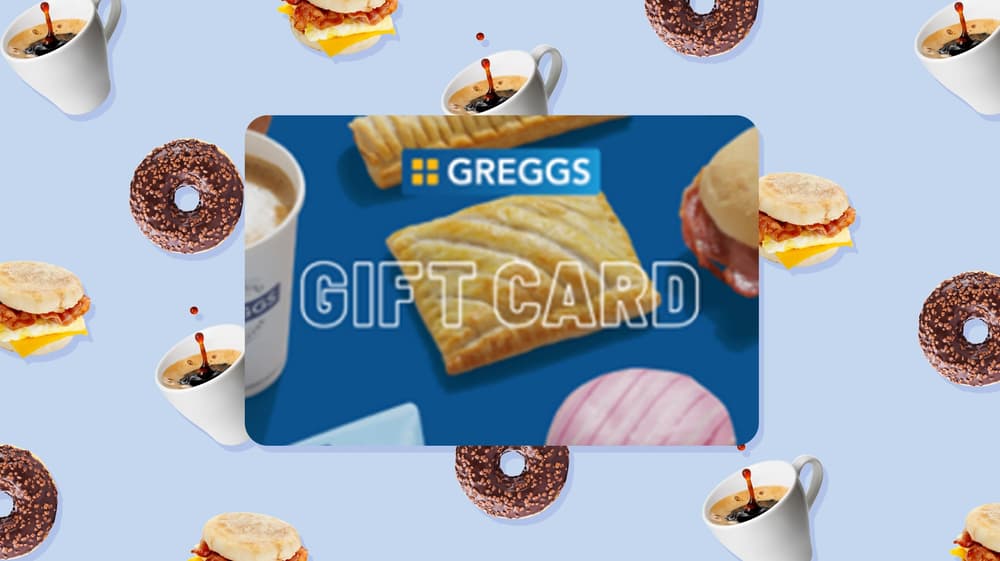
The Greggs Gift Voucher is a fun gift for anyone who loves the freshly baked treats, hot drinks, or satisfying lunches on the go from the UK’s most beloved bakery. It can be used at any Greggs location across the UK on the full menu, from classic sausage rolls and vegan bakes to sweet pastries, sandwiches, and coffee. Whether you've received one as a gift or you're planning to use it after a previous visit, it's always useful to know exactly how much credit remains before you head to the counter.
In this blog article, we'll explain where you can check the Greggs Gift Voucher balance, how to do it online and in store, and what you need to have ready before completing the balance check.
Where can I check the balance of my Greggs Gift Voucher?
There are two ways to check the balance of your Greggs Gift Voucher. Either online through the official Greggs website, or in person at any physical Greggs store throughout the UK.
Both options are convenient. Your choice depends on which option suits you, depending on where you are and how you prefer to manage your voucher. The online method does not require you to create an account or go through a lengthy process making it extremely quick and easy.
How to check your Greggs Gift Voucher balance online
Checking your Greggs Gift Voucher balance online is the most convenient option. You can complete the balance check from anywhere at any time without needing to visit a store. Here's how to do it:
- Visit the official Greggs website.
- Navigate to the gift card or voucher section of the website.
- Enter your gift voucher’s number in the relevant field. This is printed on the back of physical gift vouchers or included in the delivery email for digital vouchers.
- Enter your PIN or security code when prompted.
- Submit your details and your current balance will be displayed on screen.
The process is quick and only takes a few minutes. Knowing your exact balance before you visit a Greggs means you can plan your spending accordingly, and avoid any nasty surprises at the till.
How do I check my Greggs Gift Voucher balance in stores?
If you'd prefer to check your balance in-person, you can do so at any Greggs store throughout the UK. This is a particularly handy option if you're already visiting a store and want to know your balance before you order. Here's how:
- Visit your nearest Greggs.
- Approach the counter and let staff know you'd like to check the balance on your gift voucher.
- Hand over your physical voucher or show your digital voucher on your phone or as a printout.
- The staff member will scan or enter the voucher details and let you know the current balance.
Greggs staff are trained in handling gift voucher enquiries, so the process should be quick and hassle-free.
What you need in order to check the Greggs Gift Voucher balance
Before you check your balance, make sure you have the following to hand:
Your physical or digital voucher. Whether you have a physical or digital voucher, you'll need it in order to complete the balance check. For digital vouchers, have your delivery email ready on your phone or printed out. Without the voucher itself, neither the website nor in-store staff will be able to check your voucher’s balance.
Your voucher number. This is the unique number associated with your voucher, usually printed on the back of a physical voucher or included in the delivery email for digital vouchers. It's required for online balance checks and may also be used in store.
Your PIN or security code. Some Greggs Gift Vouchers require a PIN to access balance information online. For physical vouchers, this is typically found on the back of the card or under a scratch-off panel. For digital vouchers, it will be included in your delivery email alongside the voucher number.
With these details ready, checking the balance of your Greggs Gift Voucher should take just a few minutes. Whether you do it online or in store, staying on top of your balance means you'll always get more value out of your Greggs Gift Voucher and avoid letting it go to waste.

What is the NEXT Gift Voucher expiry?
In this article, we’ll explain how long the NEXT Gift Voucher lasts before it expires, where you can find the expiry date, and what happens when it expires.

Can you use the Nandos Gift Voucher online?
In this article, we'll answer that question in explaining the ways you can use the Nandos Gift Voucher.

How can you check your Nandos Gift Voucher balance?
In this article, we explain how you can check your Nando's Gift Voucher balance, and what you need to complete the balance check online and in restaurants.
See all blogs